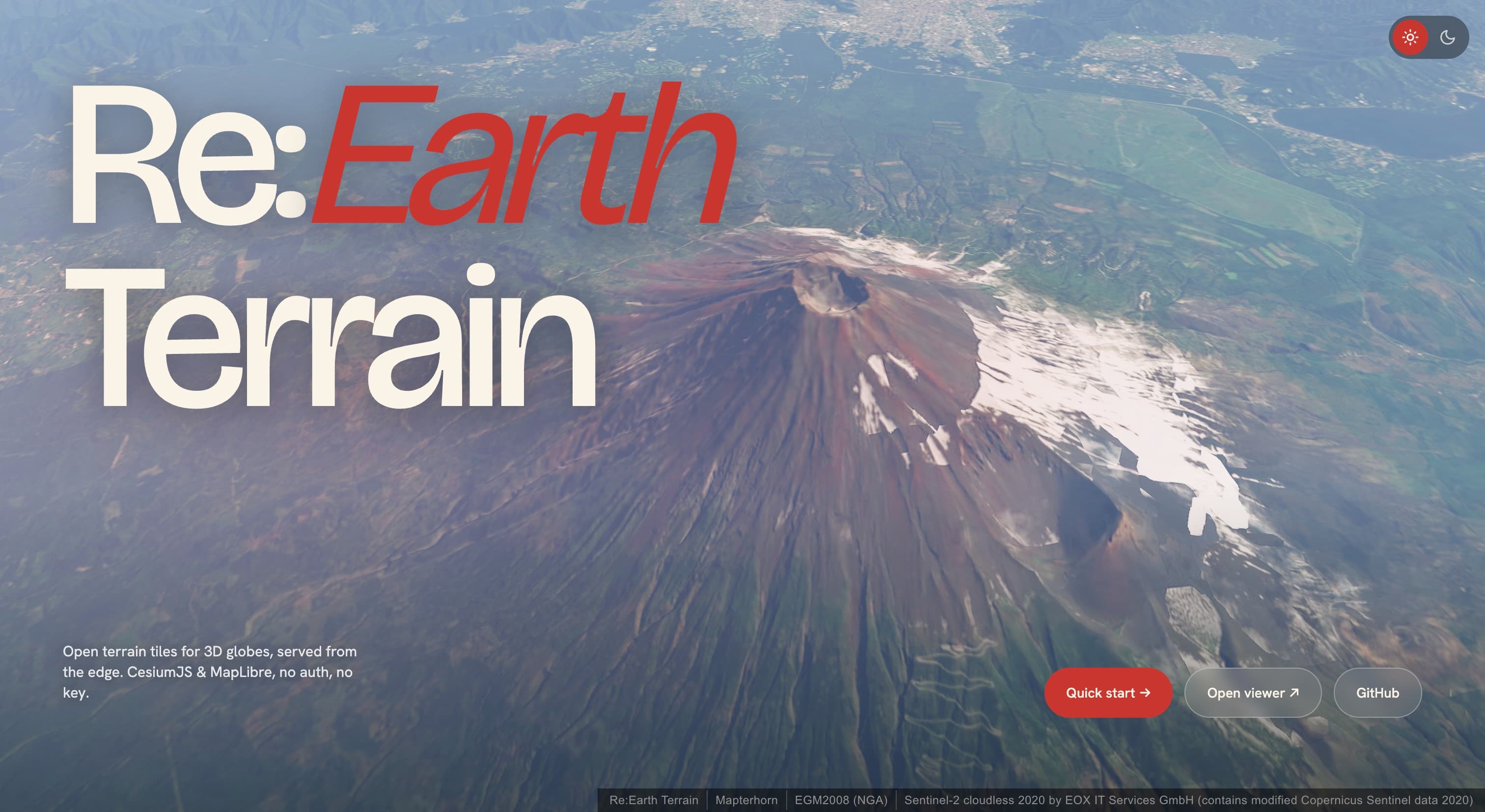
Re:Earth Terrain — Open Terrain Tiles for 3D Globes
If you’ve ever loaded a Digital Elevation Model (DEM) into CesiumJS or MapLibre and noticed the terrain looks slightly floating or sunken relative to the basemap, you’ve encountered a fundamental geodetic mismatch: most DEMs store heights above mean sea level (orthometric heights), but 3D Earth renderers draw the planet as a smooth WGS84 ellipsoid, and those two reference surfaces differ by tens of meters in many parts of the world.
Re:Earth Terrain solves this at the tile level. It blends a global DEM with the EGM2008 geoid model per-request and serves the result in the formats that CesiumJS and MapLibre already speak — free, open, and production-ready.
The Core Problem
A 3D globe engine (Cesium, three.js, deck.gl, etc.) approximates the Earth as a WGS84 ellipsoid — a smooth mathematical surface. When it drapes a terrain mesh over that ellipsoid, it expects vertex heights referenced to the ellipsoid itself.
But virtually every DEM source — Copernicus, SRTM, ALOS, TanDEM-X — publishes orthometric heights, measured relative to the geoid (mean sea level). The difference between the two, called the geoid undulation, can reach ±100 m:
| Location | Geoid Undulation |
|---|---|
| Mt. Fuji, Japan | ~+39 m |
| San Francisco, USA | ~−32 m |
| Death Valley, USA | ~−25 m |
| Amsterdam, Netherlands | ~+43 m |
| Lake Titicaca, Peru/Bolivia | ~+15 m |
Blindly feeding orthometric heights into an ellipsoidal renderer introduces a systematic vertical offset large enough to break 3D building alignment, flood analysis, and line-of-sight calculations.
How Re:Earth Terrain Works
Under the hood, the service combines three data sources on a single Cloudflare Worker, handling tile generation on the fly:
| Source | Role | License |
|---|---|---|
| Mapterhorn | Global DEM (orthometric heights) | CC BY 4.0 |
| EGM2008 (NGA) | Geoid undulation grid, converted to a COG | Public domain |
| Protomaps (OSM) | Water polygons for watermask | ODbL |
When a tile request arrives, the worker:
- Fetches the orthometric DEM tile from Mapterhorn (Range GET — no re-hosting)
- Reads the EGM2008 geoid undulation for each vertex
- Adds them together: ellipsoid height = orthometric height + geoid undulation
- Encodes the result into the requested format and returns it
The entire service runs on Cloudflare Workers + R2, keeping latency low and operational cost near zero — no EC2 instances, no GPU, no tile storage for the processed output.
Integration Guide
CesiumJS (quantized-mesh-1.0)
CesiumJS is the primary target. The cesium-mesh endpoint produces TMS-Geographic quantized-mesh tiles consumed directly by CesiumTerrainProvider:
import * as Cesium from "cesium";

const terrain = await Cesium.CesiumTerrainProvider.fromUrl(
  "https://terrain.reearth.land/cesium-mesh/ellipsoid",
  {
    requestVertexNormals: true, // enables shaded relief
    requestWaterMask: true,     // flat ocean / lake surfaces
  },
);

const viewer = new Cesium.Viewer("cesium", { terrainProvider: terrain });
viewer.scene.globe.enableLighting = true;
The fromUrl method fetches layer.json automatically, discovering the tile template, zoom range, and supported extensions (vertex normals, watermask).
MapLibre GL JS (raster-dem)
For MapLibre, the mapbox / terrarium endpoints serve raster-encoded elevation tiles in standard Web Mercator XYZ:
map.addSource("terrain", {
  type: "raster-dem",
  url: "https://terrain.reearth.land/mapbox/ellipsoid/tilejson.json",
});
map.setTerrain({ source: "terrain" });
The TileJSON advertises the full tile URL template and zoom range, so one URL is all you need. Swap mapbox for terrarium if your pipeline expects Mapzen Terrarium encoding.
Note for MapLibre users: For ordinary 2.5D hillshade, Mapterhorn (which ships orthometric heights) is the recommended default. Reach for Re:Earth Terrain’s raster-dem endpoint specifically when you need ellipsoidal heights — e.g., comparing DEM values against GNSS readings, or fusing the basemap with a Cesium scene that already uses ellipsoidal terrain.
Endpoint Reference
All paths follow the structure /{tileset}/{encoding}/{data_type}/...:
Encoding Formats
| Encoding | Output | Extension | Consumer |
|---|---|---|---|
cesium-mesh | quantized-mesh-1.0 (TMS Geographic) | .terrain | CesiumJS |
mapbox | Mapbox Terrain-RGB (Web Mercator XYZ) | .webp / .png | MapLibre, Mapbox GL |
terrarium | Mapzen Terrarium (Web Mercator XYZ) | .webp / .png | MapLibre, deck.gl |
Data Types
| Type | Meaning | Best For |
|---|---|---|
ellipsoid | DEM + geoid undulation → WGS84 ellipsoid height | CesiumJS terrain, GNSS comparison |
elevation | Orthometric height (above MSL) — raw DEM value | Contour generation, MSL-referenced analysis |
geoid | EGM2008 geoid undulation only | Coordinate conversion, geoid visualization |
Key API Routes
| Route | Purpose |
|---|---|
GET /{tileset}/cesium-mesh/{type}/{z}/{x}/{y}.terrain | quantized-mesh tile |
GET /{tileset}/cesium-mesh/{type}/layer.json | Cesium layer.json |
GET /{tileset}/{mapbox|terrarium}/{type}/{z}/{x}/{y}.{webp|png} | Raster terrain tile |
GET /{tileset}/{mapbox|terrarium}/{type}/tilejson.json | TileJSON 3.0.0 |
GET /{tileset}/{watermask|watermask-tms}/{z}/{x}/{y}.{webp|png} | Water mask raster |
GET /{tileset}/heights.json?points=lon,lat;... | Point heights (≤ 256 points) |
The point heights API is particularly useful: pass a semicolon-separated list of coordinates and get back elevation, geoid, and ellipsoid heights in a single JSON response — handy for quick cross-referencing during development.
Watermask
Alongside terrain, the service exposes a Protomaps-derived water mask raster. Water pixels are opaque black (#000000), land is fully transparent. Drop it as an overlay in any map renderer:
map.addSource("water", {
  type: "raster",
  url: "https://terrain.reearth.land/watermask/tilejson.json",
  tileSize: 256,
});
map.addLayer({
  id: "water",
  type: "raster",
  source: "water",
  paint: { "raster-opacity": 0.3 },
});
Use watermask-tms when you need TMS Geographic coordinates to align with the cesium-mesh tiles. Use watermask (Web Mercator XYZ) for MapLibre / Leaflet / Mapbox GL.
Why This Matters for GIS Developers
Re:Earth Terrain fills a gap that has historically been handled by either:
- Cesium Ion — convenient but proprietary, requires an API key, and doesn’t expose the underlying geoid adjustment
- AWS Terrain Tiles — free but orthometric-only; you’d have to build your own geoid correction pipeline
- Self-hosted solutions (e.g.,
CTB/terrariumconverters) — full control but significant infrastructure work
By wrapping DEM + geoid into a single, zero-config tile endpoint, Re:Earth Terrain makes correctly-referenced 3D terrain as simple as pointing a URL. The service is fully open-source (MIT), the source is on GitHub, and you can inspect exactly what the Worker does at each zoom level.
Viewer and Try It Yourself
Visit terrain.reearth.land/viewer for a live CesiumJS demo. Select from preset locations — Mt. Fuji, Lake Geneva, Amsterdam, Death Valley, Everest — and orbit the terrain to see the ellipsoid-referenced mesh in action.
The viewer also lets you toggle between different basemaps and terrain encodings, making it easy to compare the visual difference between orthometric and ellipsoid terrain side by side.
Summary
| Feature | Detail |
|---|---|
| Service | Free, open terrain tiles for 3D globes |
| URL | terrain.reearth.land |
| Core innovation | Per-request DEM + EGM2008 geoid fusion |
| Formats | quantized-mesh-1.0, Mapbox Terrain-RGB, Mapzen Terrarium |
| Runtime | Cloudflare Worker + R2 — no servers to manage |
| Licensing | Code: MIT. Data: CC BY 4.0 (Mapterhorn), Public domain (EGM2008), ODbL (watermask) |
| Source | github.com/reearth/reearth-terrain |
Whether you’re building a CesiumJS-based 3D city dashboard, a MapLibre terrain visualization, or a GNSS cross-referencing tool, Re:Earth Terrain eliminates a class of geodetic errors that are easy to overlook but hard to fix downstream. Give it a try — no signup, no API key, just a URL.